Google Antigravity adds Knowledge Work interface for non-coding tasks
Google is rolling out a Knowledge Work user interface for Antigravity, expanding the platform beyond coding to data analysis and office workflows.
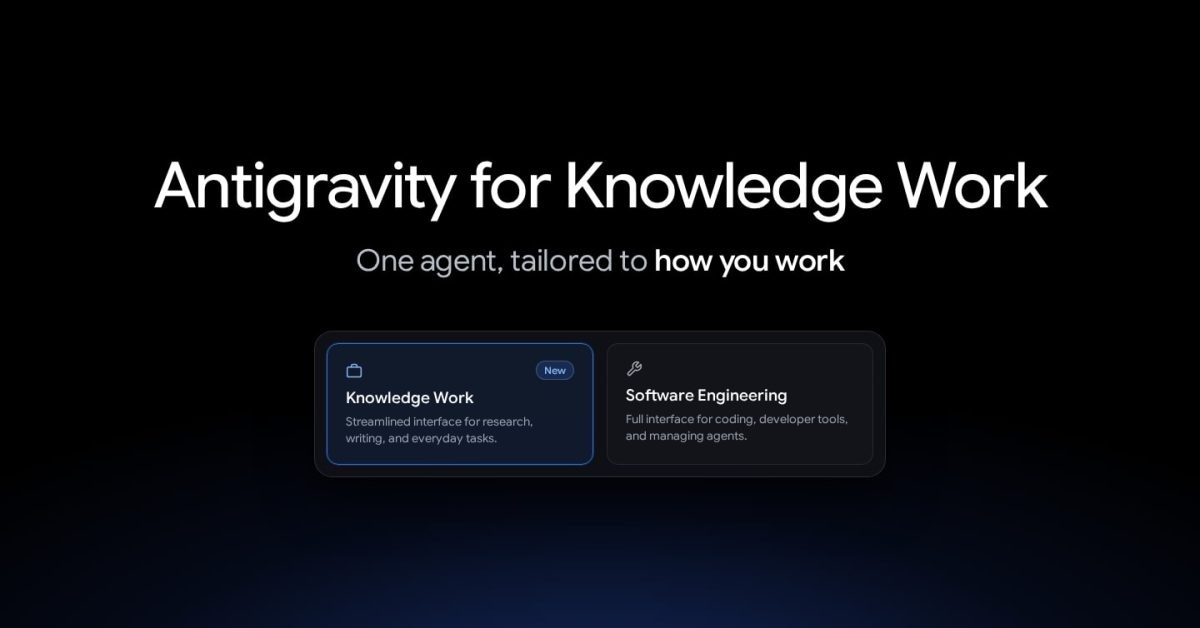
Following last week's major update, Google Antigravity is introducing a dedicated Knowledge Work user experience. The platform, which initially focused purely on software engineering, is now expanding to support a wide range of non-coding office and analytical tasks.
- Antigravity was originally launched with a primary focus on coding.
- The new Knowledge Work UI targets non-engineering workflows and tasks.
- Tens of thousands of non-coding Googlers now rely on the platform.
- The underlying AI agent and frontier model access remain unchanged.
Expanding beyond software engineering
Antigravity initially launched with a coding focus, but Google quickly observed that internal employees were utilizing the tool for much more than just writing code. Daily work sessions increasingly began to center around deep research, data analysis, drafting documents and presentations, prototyping designs, and automating everyday workflows.
Because of this organic adoption, Google has introduced an optimized Knowledge Work experience that will sit alongside the existing Software Engineering interface, catering specifically to business and analytical tasks.
Read alsoAntigravity /teamwork: Google multiagent AI systems for scienceWidespread adoption across departments
The company revealed that tens of thousands of Googlers outside of software engineering now rely on Antigravity every week. This broad user base spans across sales, finance, legal, product, design, research, marketing, and operations.
By adapting the interface for these diverse departments, Google aims to streamline daily operations for professionals who need advanced AI assistance without the complexity of a developer-centric environment.
Interface changes and how to enable it
When the Knowledge Work mode is enabled, users will notice specific UI adjustments tailored for document and research work. However, the underlying Antigravity agent remains identical, maintaining full access to frontier models, local files, plugins, skills, rules, custom agents, and MCP servers.
To enable the new interface layout, users simply need to navigate to Settings, then General, and select Interface Layout. Upon the first launch, a new onboarding flow guides users through the updated workspace.
What this means for users and businesses
The integration of a dedicated non-coding interface highlights the broader shift toward universal AI assistants in the workplace. By bridging the gap between developers and general office workers, Google is making advanced AI tooling accessible to virtually every corporate department, driving efficiency across the board.
Source: 9to5Google