
How to combine Claude Code, Codex and Antigravity in one folder
Learn how to use a shared workspace folder and instruction files to seamlessly switch between AI coding agents without losing context.
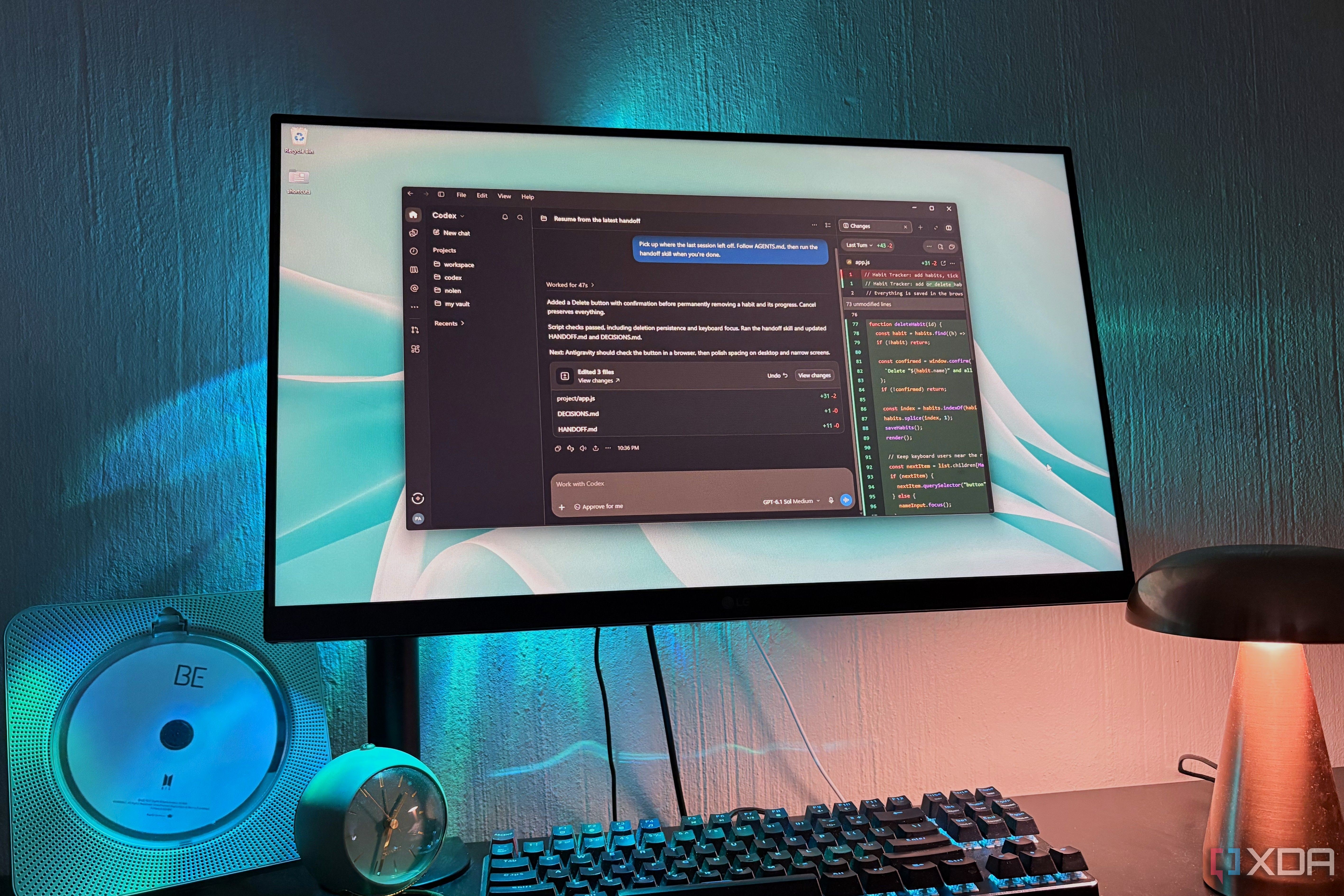
Artificial intelligence coding agents have evolved rapidly, but paying for multiple subscriptions often forces developers to choose a single primary tool. Claude Code, Codex, and Antigravity all excel at building software within a computer folder, yet usage limits inevitably run out mid-project. Switching between these agents usually requires starting a fresh session and manually re-typing the entire project context, turning development into an exhausting copy-paste marathon.
- Juggling multiple AI coding subscriptions leads to fragmented chat histories.
- Using a shared workspace folder allows different agents to pick up where others left off.
- A unified rule file named AGENTS.md ensures all models follow the same instructions.
- Handoff logs and decision lists maintain seamless project continuity across sessions.
Setting up a shared workspace and unified rules
The core of this workflow moves the project's memory out of individual app chat histories and directly into the project folder. Coding agents natively scan for instruction files upon opening a directory, and this setup taps directly into that mechanism. While Claude Code looks for CLAUDE.md, that file can easily point to AGENTS.md, a universal rulebook that Codex and Antigravity are also designed to read. This guarantees that every model starts with the exact same rules from the very beginning.
Managing continuity with handoff logs and decisions
Read alsoAI models fail medical recommendation tests with 80% error ratesThe pipeline relies heavily on specific Markdown files to keep every agent aligned. The HANDOFF.md file acts as a running log where each agent leaves a signed note before exiting, detailing what was completed and where the next agent should start. Meanwhile, DECISIONS.md locks in definitive project choices—such as sticking to plain HTML—preventing agents from accidentally undoing previous progress. Because everything is stored in plain text, developers can inspect or edit these files in any standard text editor at any time.
Benefits and task distribution among AI agents
The most significant advantage of this method is bypassing strict usage limits, as running out of credits on one agent simply means opening the folder in another app to continue instantly. Furthermore, developers can leverage unique model strengths, such as using Antigravity for visual browser checks while relying on the other two for planning and debugging. Ultimately, this approach transforms competing AI tools into collaborative partners working smoothly on the exact same codebase.
Source: XDA