Adding a local LLM to Windows 11 clipboard boosts productivity
How integrating a local LLM via Sirius AI Tray Assistant into the Windows 11 clipboard transforms copy-pasting into a powerful data analysis tool.
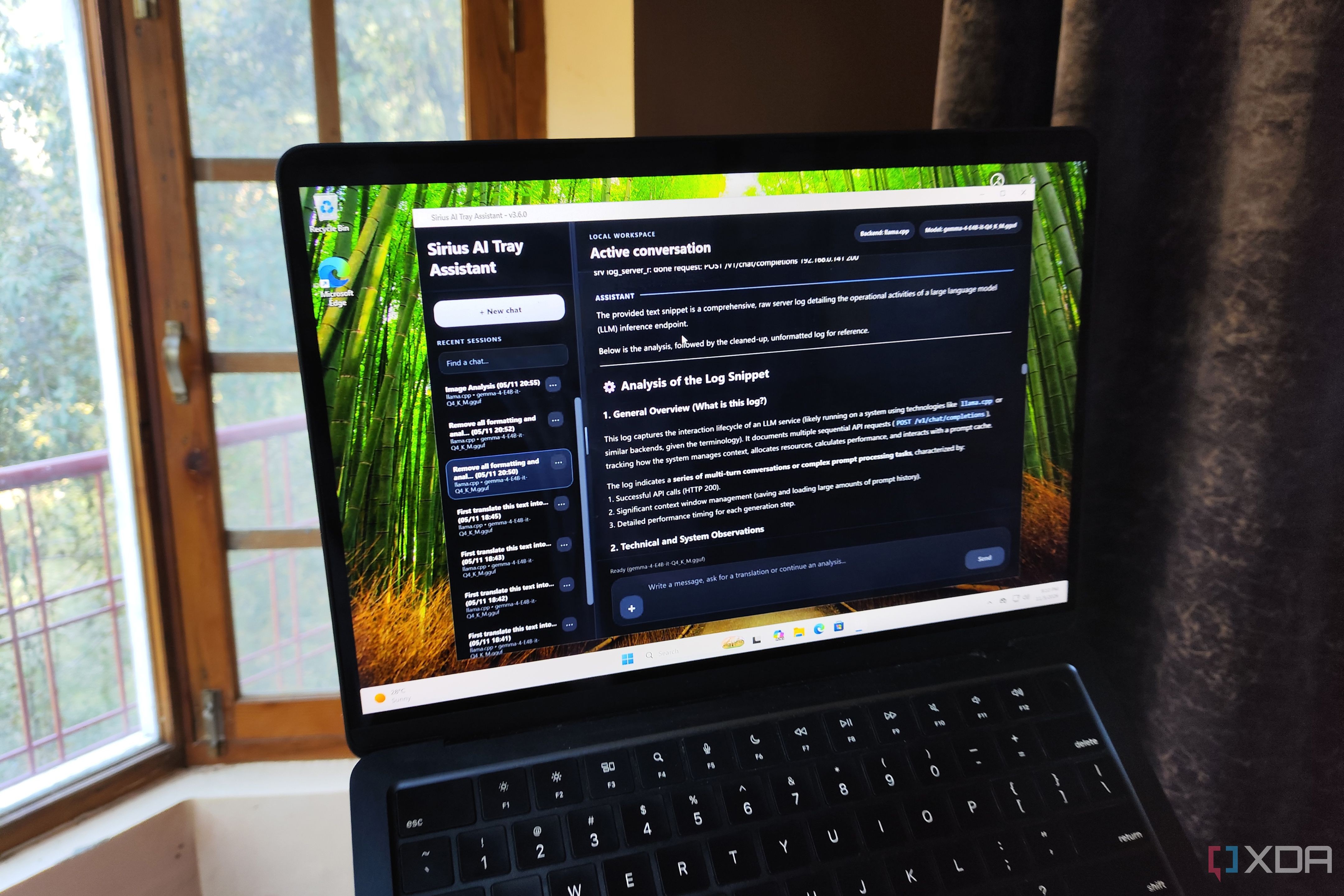
Locally-hosted AI models may not match massive cloud servers in sheer computational scale, but they excel at handling everyday tasks efficiently. An XDA tech writer recently shared how they integrated a local LLM into their Windows 11 clipboard using Sirius AI Tray Assistant, enabling text analysis, translation, and OCR without compromising data privacy.
- Integrating a local LLM into the Windows 11 clipboard speeds up text processing.
- Combining Sirius AI Tray Assistant with the Gemma 4 E4B model yields high execution speed.
- All operations run locally without subscription fees or sending data to external servers.
Choosing Gemma 4 and Sirius AI Tray Assistant
The engine powering this setup is Gemma 4 E4B (Q4_K_M) with a 4.5B parameter size, lightweight enough to run smoothly across various GPUs. On an RTX 3080 Ti, it achieves over 110 tokens per second for fast inference. Management is handled through the Sirius AI Tray Assistant repository by developer Zoott28354, linked via a local llama.cpp server instance.
Remote Server Routing and Custom Prompts
Read alsoHow to replace Grammarly Pro with a local LLM on your PCThe architecture allows flexibility by routing inference tasks to remote setups, such as llama-server running on Proxmox LXC containers powered by secondary GPUs like the GTX 1080. Users can configure custom prompts to strip formatting from PowerShell code snippets, summarize documentation commands, or translate foreign languages on the fly.
Screenshot Support and OCR Workloads
Beyond standard text, the assistant handles screenshots captured via the Windows Snipping Tool because Gemma 4 includes image analysis capabilities. Users can take snapshots of un-copyable text elements and generate OCR reports to extract information instantly.
What this means for users and developers
Building local assistant workflows demonstrates that developers and power users can leverage AI productivity boosts while maintaining absolute privacy. Keeping clipboard data—which often contains sensitive snippets, passwords, and code—entirely offline eliminates external server risks.
Source: XDA