How to stop Google from using Gmail and Photos data for ads
Google's policy update links Personal Intelligence data to targeted ads. Learn how to disconnect your Gmail and Photos.
Google has altered its long-standing privacy promise by introducing a policy update that connects personal data usage with targeted advertising. While the company previously guaranteed that contents from Gmail, Drive, and Photos would never be used for ads, a new loophole now changes the equation.
- Personal Intelligence allows Gemini and AI Mode to search through your emails, photos, and drive files.
- An October policy update states this data can now shape ads if connected services are enabled.
- Google maintains it does not directly scan your inbox for ads or share data with third parties.
- Users retain full control and can easily opt out through their Google account settings.
What changed in Google's privacy policy
Before mid-October, Google's policy clearly stated that personal content from Drive, Gmail, or Photos was excluded from ad targeting. However, a new clause was added, creating an exception when users choose to make data from these services available to other Google tools that support personalized ads.
This means that utilizing AI features to query your emails or photos allows the resulting interactions to inform the ads you see. Although Google insists it is not directly scanning private libraries or selling data to outsiders, the inclusion of AI conversational signals in advertising profiles represents a notable shift in user privacy dynamics.
Read alsoGoogle is struggling to make artificial intelligence pay like searchHow to opt out and disconnect your data
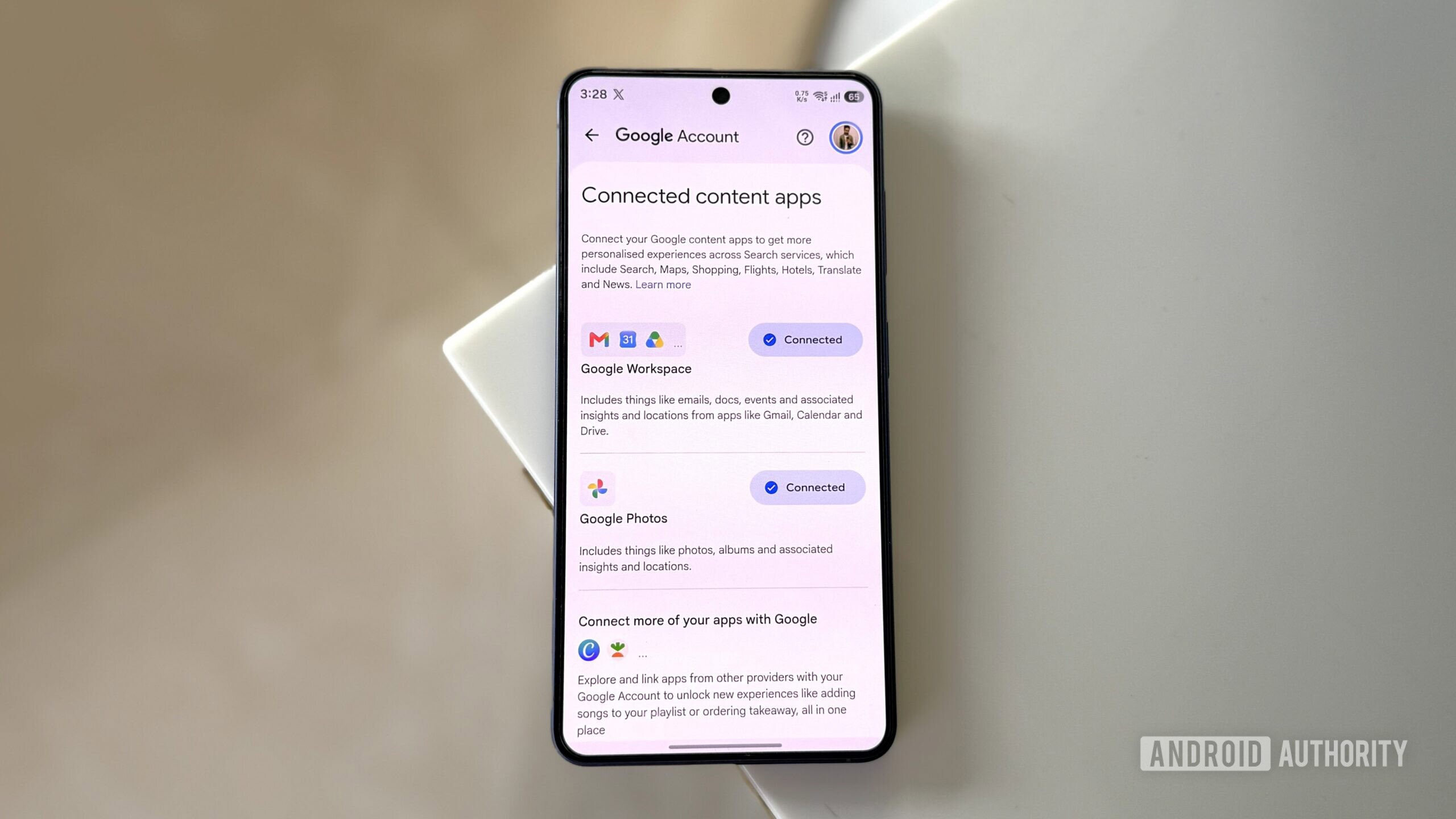
Fortunately, Google provides a straightforward way to opt out of this behavior. Users can navigate to their Google account settings, access personalization options under privacy, and locate search services recommendations. From there, disconnecting Google Workspace and Google Photos under Personal Intelligence stops data sharing.
Disconnecting these apps prevents search services from using your personal content for ads while still allowing you to query Gemini directly. Note that disconnecting does not automatically erase data already collected, which requires a manual deletion via the search history page.
Managing the broader Google ecosystem
For those looking to completely limit data tracking within Google's ecosystem, disabling Personal Intelligence is only the first step. Personalized Recommendations govern search results, Maps, Shopping, and YouTube suggestions based on overall user activity across the web.
Disabling personalized recommendations stops tailored search responses, though basic context like location and age remains active. Ultimately, users must weigh the high convenience of AI-driven tools against their personal privacy preferences.
Source: Android Authority