How to watch videos on Apple CarPlay while parked with iOS 27
iOS 27 introduces native video playback for Apple CarPlay. Learn the requirements, car compatibility, and how to watch videos safely.
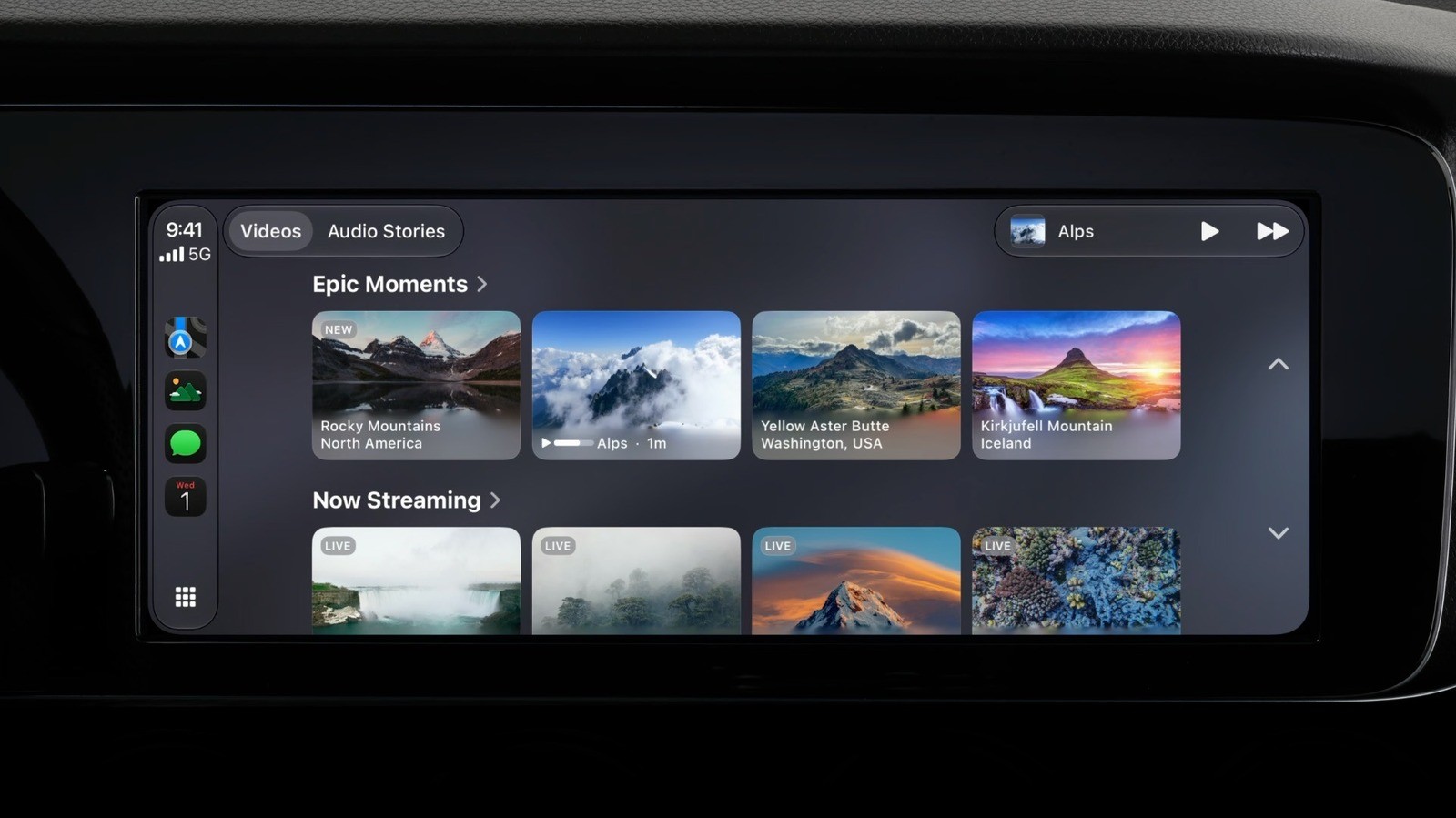
iOS 27 brings native video playback support to Apple CarPlay, adding a long-awaited feature for drivers. While CarPlay has traditionally been limited to audio, messaging, and navigation apps, users can now watch videos when their vehicle is safely parked.
- Native video playback is introduced with the release of iOS 27.
- Vehicles require 'video-in-car' technology to detect when the car is stopped.
- AirPlay streaming is available for video apps lacking native CarPlay support.
- Car screens must support at least 1920x1080 resolution, HEVC codec, and 4GB memory.
Car Compatibility and Hardware Requirements
Watching videos on CarPlay requires more than just updating your iPhone to the latest software version. Automakers must integrate support for video apps, meaning older dashboard systems may never support the feature. Apple specifies that CarPlay screens must feature a minimum resolution of 1,920 by 1,080 pixels, support the HEVC codec, and have at least 4GB of memory. Because Apple does not provide a definitive list of compatible vehicles, users must verify compatibility with their specific car model.
Using Native Apps and AirPlay Streaming
Read alsoiOS 27 HDMI output issue causes external display video playback bugsCurrently, only a few video apps support CarPlay natively, with major services like YouTube and Netflix yet to roll out dedicated versions. If a compatible video app is installed on your iPhone, its icon will appear on the CarPlay Home Screen. Once you begin driving, CarPlay automatically switches to audio-only mode to prevent visual distractions.
For apps that do not yet support CarPlay directly, AirPlay offers a convenient workaround. Users can open an AirPlay-compatible video app on their iPhone, tap the AirPlay icon, and select their vehicle to mirror the video onto the car's dashboard. Playback controls remain accessible on both devices, provided the vehicle is fully parked.
Alternative Hardware and Driving Safety
If an older vehicle lacks official support for video playback, third-party accessories such as Android-based 'AI boxes' from brands like Carlinkit and Ottocast provide a solution. These devices allow users to install Netflix, YouTube, and other apps directly without jailbreaking. However, these workarounds also bypass parking safety restrictions, meaning drivers should exercise caution to avoid dangerous distractions on the road.