Raspberry Pi Zero 2 W: repurposing your SBC as a USB gadget
Learn how to breathe new life into your Raspberry Pi Zero 2 W by turning it from a weak computer into a versatile USB gadget for your PC.
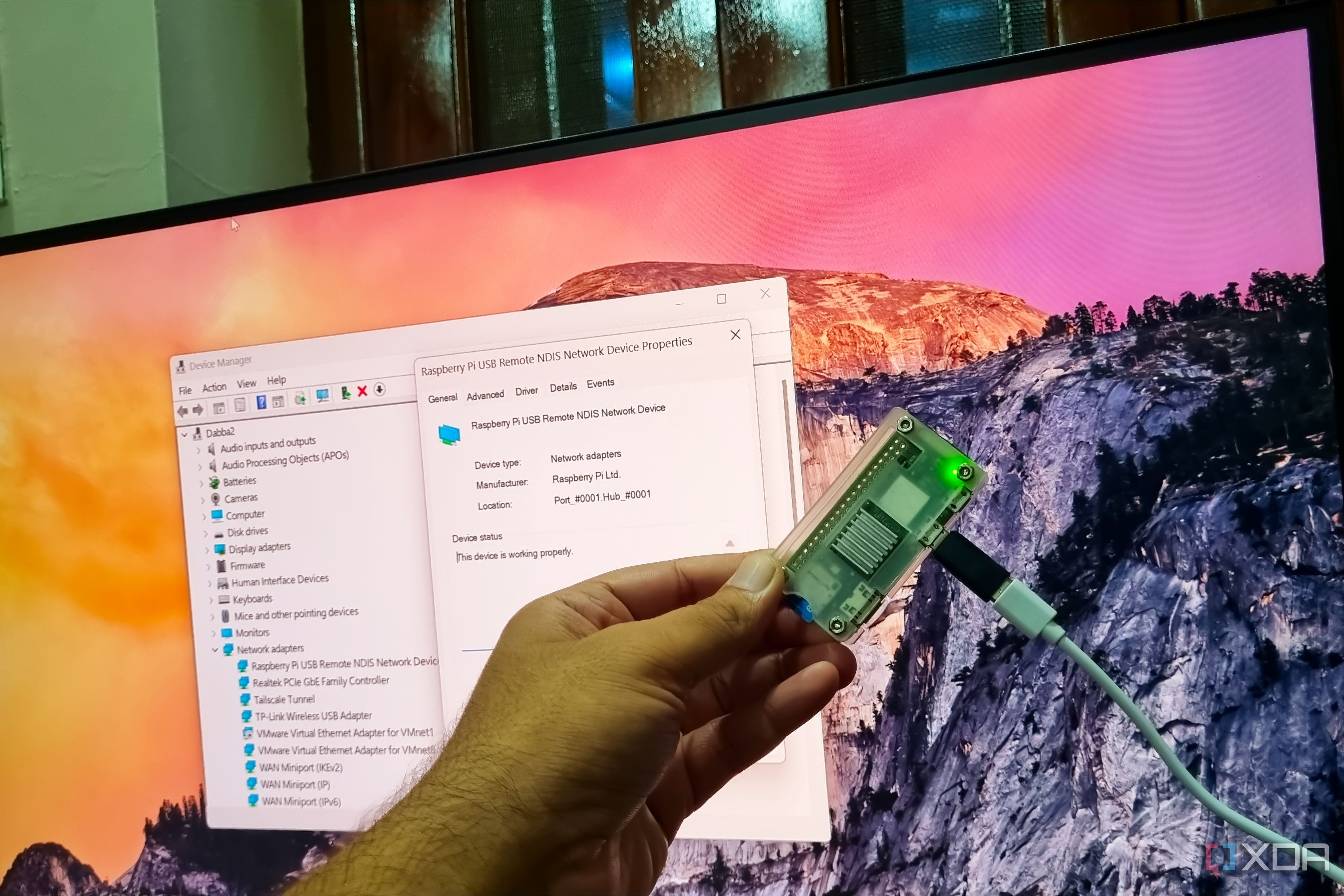
The Raspberry Pi Zero 2 W is a great entry-level device, but it often ends up gathering dust once users upgrade to more powerful hardware. However, it doesn't have to be useless. By leveraging USB Gadget mode, you can repurpose this board into a highly functional USB peripheral for your main computer.
- Key modes: USB Ethernet for direct SSH, Mass Storage, and HID for custom macro buttons.
- Connectivity: Establish direct hardware-level communication between your PC and the Pi.
- Portability: No need for routers or extra Wi-Fi setups when you have a direct USB link.
Understanding USB Gadget Mode
USB Gadget mode allows the Raspberry Pi to mimic common USB hardware. Instead of being an isolated SBC that requires its own power supply and network connection, it becomes a piece of hardware that 'talks' directly to your computer. This is an efficient way to expand your PC's capabilities using hardware you already own.
Technical Implementation
Read alsoFlipper One: Linux-powered computer and multitool launched at $379Setting up this mode requires modifying the `config.txt` and `cmdline.txt` files on your SD card. On the PC side, you may need to install specific drivers like RNDIS to recognize the Pi as a network adapter. Once configured, you gain a persistent, low-latency connection that remains functional even if your local network goes offline.
Why This Matters for Developers
Repurposing old hardware is a staple of the maker community. Turning a Pi Zero 2 W into a Wi-Fi dongle, a dedicated password manager server, or a custom HID input machine transforms a 'weak' device into a specialized tool. It minimizes hardware waste and provides a great platform for experimenting with circuitry and network protocols without needing expensive gear.
Source: XDA