Running local LLMs in a Proxmox LXC: performance close to bare metal
Learn how to run local language models inside a Proxmox LXC container with unified memory and ROCm without losing performance.
·3 min read
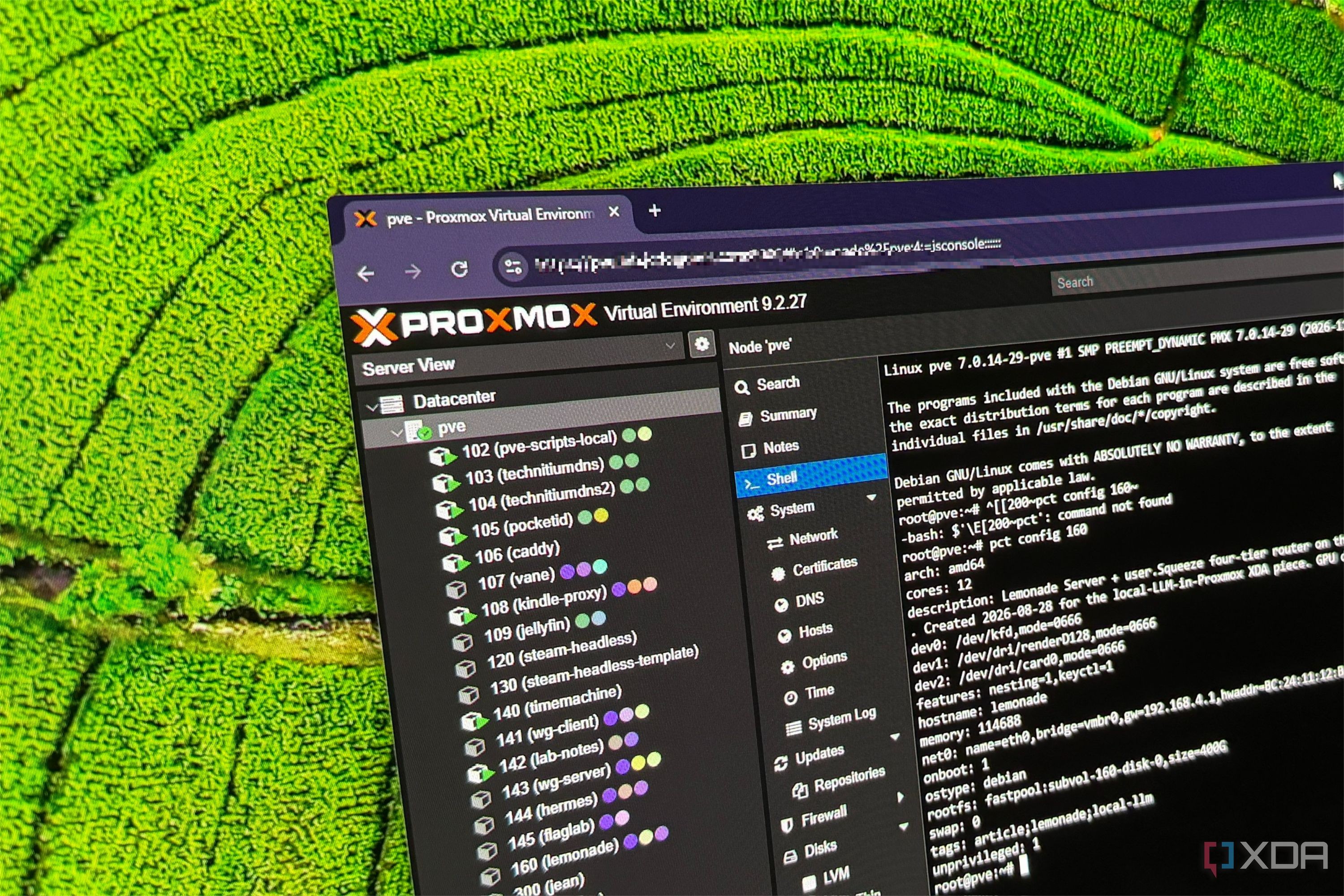
Running local AI models has traditionally been associated with dedicated hardware or virtual machines with direct GPU passthrough. However, practice shows that LXC containers in Proxmox handle this task just as well as bare-metal systems by sharing the host kernel.
Quick summary - Proxmox LXC containers deliver the same LLM performance as bare-metal setups. - Integrated AMD Strix Halo graphics work inside the container via /dev/kfd and /dev/dri device mappings. - Dynamic memory allocation via UMA_SPECIFIED preserves system resources for other services. - Choosing the correct ROCm backend instead of Vulkan is crucial for maximum token generation speed.
Hardware configuration and GPU mapping Dealing with integrated GPUs in virtual machines can be tricky, but LXC containers offer a simpler solution because they share the host kernel and device files. Adding just three lines to the container configuration maps the necessary compute and rendering interfaces without heavy PCIe passthrough overhead.
Unified memory optimization Unified memory devices require careful tuning of the BIOS and Proxmox kernel. Default settings often carve away a fixed chunk of memory as dedicated VRAM, starving other containers. Switching the BIOS to UMA_SPECIFIED and adding the ttm.pages_limit kernel parameter allows system memory to scale dynamically with the loaded model.
Backend selection and performance Testing revealed the critical importance of using the right backend for the graphics chip. Automatic loading via Vulkan can cause token generation speeds to crawl, while forcing the ROCm stack multiplies performance significantly. Benchmarking each model beforehand ensures optimal placement.
What this means for developers and business Running LLMs inside Proxmox LXC containers offers a streamlined way to integrate advanced AI into a broader home lab or enterprise infrastructure. Combined with ZFS snapshots, upgrades and rollbacks become completely painless, allowing administrators to experiment safely.
Source: XDA